
Are you looking for a convenient way to stay connected in Saudi Arabia without the hassle of physical SIM cards? The Mobily eSIM offers an innovative solution that allows you to activate your mobile service digitally. In this blog, we will guide you through the process of mobily esim activation, how to buy a mobily esim, and explore various mobily esim packages available. By the end of this post, you’ll have all the information you need to successfully activate your mobily sim and enjoy seamless connectivity.
What is Mobily eSIM?
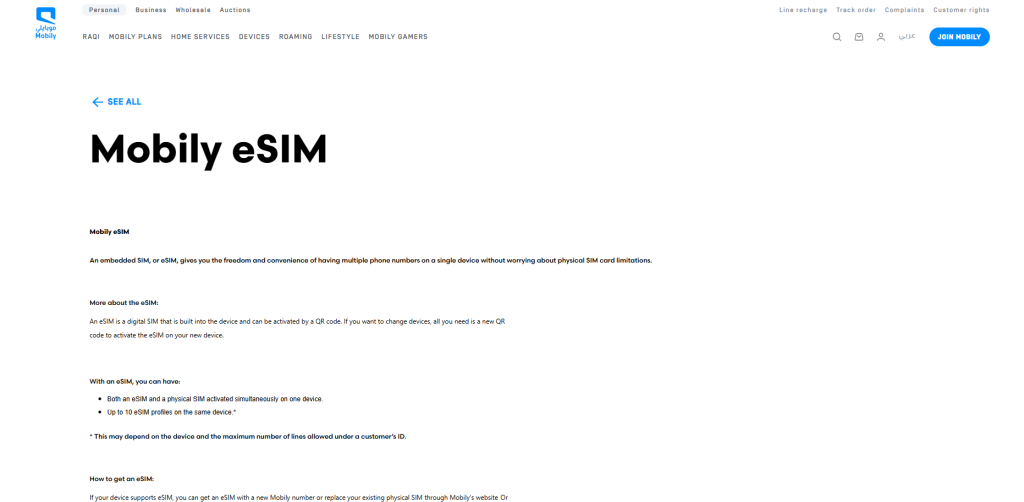
The Mobily eSIM is a digital SIM that is embedded in your device, allowing you to connect to the Mobily network without needing a physical SIM card. This technology not only simplifies the activation process but also enables users to manage multiple phone numbers on a single device. With an eSIM, you can easily switch between different plans and carriers, making it an ideal choice for both residents and travelers in Saudi Arabia.
Benefits of Using Mobily eSIM
- Convenience: No need to visit a store for a physical SIM card.
- Multiple Profiles: Manage up to 10 eSIM profiles on compatible devices.
- Easy Activation: Activate your eSIM by scanning a QR code.
- Flexibility: Switch between different plans without changing SIM cards.
How to Buy Mobily eSIM
Purchasing a mobily esim is straightforward. You can acquire one through several methods:
- Mobily App: Download the app, navigate to the store section, and select “Activate New eSIM.”
- Mobily Website: Visit the Mobily website, choose your desired package, and select eSIM during checkout.
- Physical Stores: Visit any Mobily outlet or authorized dealer to request an eSIM.
Steps to Purchase via the Mobily App
- Open the Mobily app on your device.
- Go to the Store section and click on “Activate New eSIM.”
- Select “New Line” or replace an existing SIM.
- Choose your desired package from available options.
- Complete the payment process.
- Your eSIM QR code will be sent via email or displayed in the app.
How to Activate Mobily eSIM
Once you have obtained your mobily esim, activating it is a simple process that involves scanning a QR code provided by Mobily. Here’s how you can activate it:
Step-by-Step Activation Process
- Check Device Compatibility: Ensure that your device supports eSIM technology. Most modern smartphones, such as recent models from Apple and Samsung, are compatible.
- Connect to Wi-Fi: Make sure you are connected to a reliable Wi-Fi network for the activation process.
- Open Settings:
- For iOS: Go to Settings > Cellular > Add Cellular Plan.
- For Android: Go to Settings > Connections > SIM Card Manager > Add Mobile Plan.
- Scan QR Code: Use your device’s camera to scan the QR code provided by Mobily either through email or directly from the app.
- Follow On-Screen Instructions: Complete any additional prompts that may appear on your screen to finalize the activation.
- Confirmation: Once activated, you will receive confirmation, and your new number will be ready for use.
Mobily eSIM Packages
Mobily offers various packages tailored to meet different user needs, whether for data-heavy users or those who primarily make calls. Here are some popular options:
- Postpaid Plans:
- eSIM50: 100 GB of data + unlimited local calls for SR 57.5/month.
- Prepaid Plans:
- Various data packages starting from 1 GB per day with flexible pricing options suitable for short-term visitors or light users.
Choosing the Right Package
When selecting a package, consider your usage patterns:
- If you primarily use data for browsing and streaming, opt for higher data packages.
- For frequent callers, choose plans with unlimited call options.
Troubleshooting Common Issues
If you encounter any issues during the activation process, here are some tips:
- Ensure your device is compatible with eSIM technology.
- Double-check that you are connected to Wi-Fi during activation.
- If problems persist, contact Mobily customer support for assistance.
Conclusion
Activating a mobily esim is an efficient way to stay connected in Saudi Arabia without dealing with physical SIM cards. With easy purchasing options through the Mobily app or website and straightforward activation steps, you can enjoy seamless connectivity in no time. Explore various mobily esim packages that suit your needs and experience the flexibility of managing multiple phone numbers effortlessly. By following this guide, you’ll be equipped with all necessary information about how to activate your Mobily SIM effectively. Enjoy hassle-free communication with Mobily!